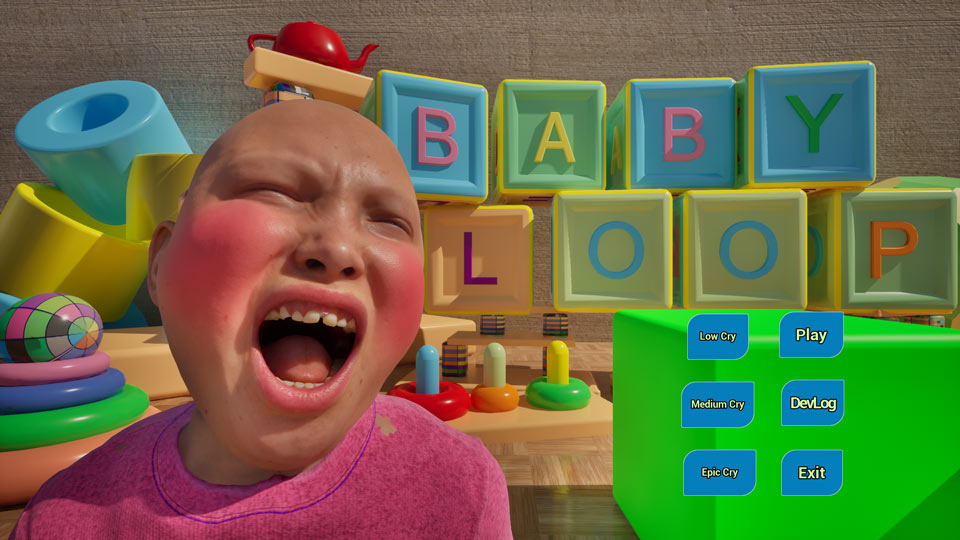
2025 Epic MegaJam
Hi! My name is Eduardo and I’ll document the Epic GameJam 2025 during the seven days.
Press the buttons to go straight to each section.
Menu

Setup
Until the start

The Jam
7 days

Post Mortem
Results
Part 1 – Setup
Hi!
Here are my learnings during the JAM. Blue words are links.
The MEGAJAM link
First, we must read all the rules.
Last year I was living in Brazil and wasn’t able to participate because of the rules.
This year I’m fortunate to be living in Japan, so it will be my first year! 😀
Some important points:
1) AI content is prohibited.
2) Content created before the Jam will not be relevant to the judges. (so I’ll try to create everything in 7 days)
The Unreal SOURCE Discord server has 8 hints, including taking care of your health.
So I’ll be strict about sleeping time and food.
My deadline in Japan is:
From October 17th 2025 at 4:00 AM to October 24th 2025 at 12:59 PM. The content will be shared at 3AM here, so I’m preparing to wake up early.
Judging
The judges have 6 criteria (each item receives 5 points)
- Use of the Theme100%
- Fun factor100%
- Visuals100%
- Level Design100%
- Gameplay100%
- Audio100%
My biggest challenge is to grow all the 6 criteria in 7 days, being a solo dev. The strategy will be:
1: Reduce the scope to make it doable. After that, reduce it more.
2: Work on every element every day (from beginning to the end, work on concept, Blueprints and art), in other words, don’t leave sound for the last day.
3: Work with placeholders but don’t lose time creating them.
4: Ask for daily feedback.
4: Have fun!
Softwares and Tools
Before the start, I’m downloading the tools and preparing the terrain.
Trello
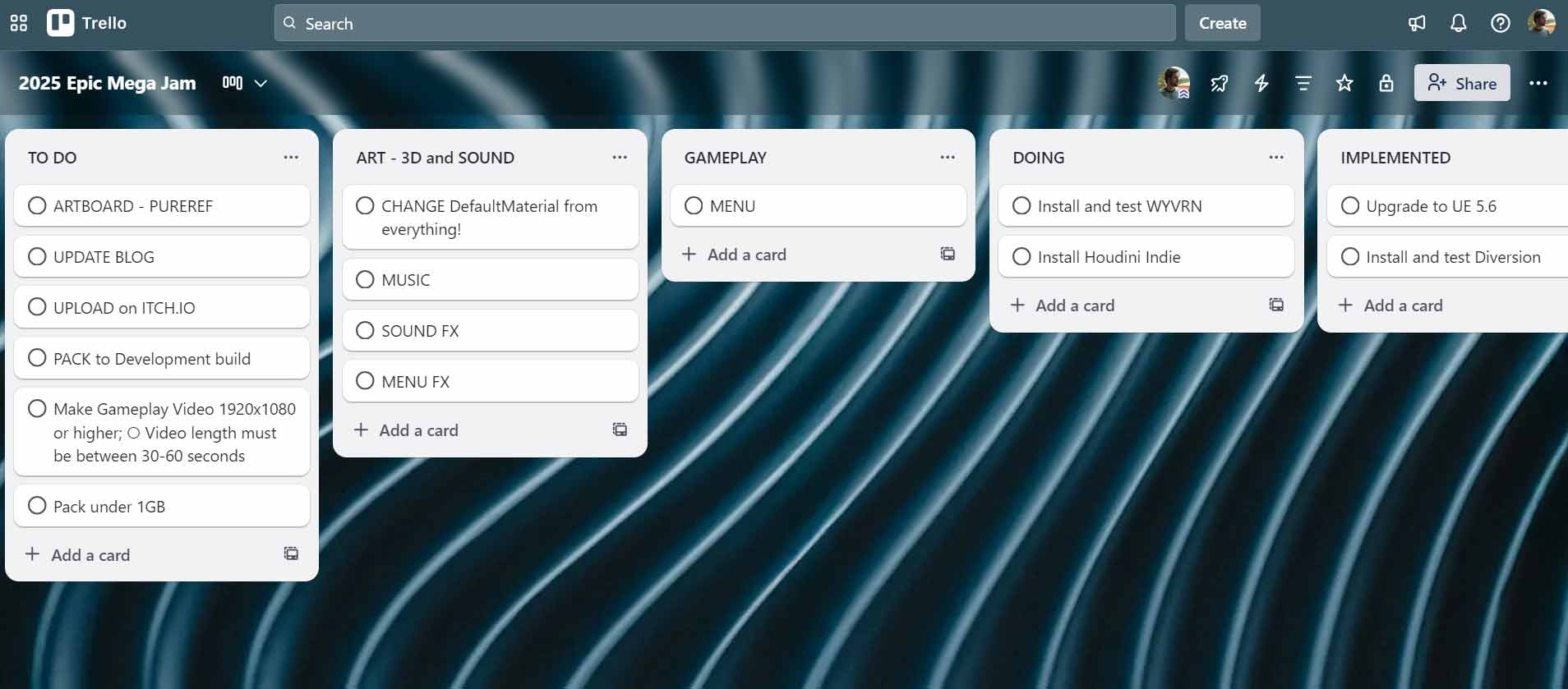
I’ll use Trello for organization.
Before the start I’m just testing tools and organizing the Jam requirements (Gameplay Video for example).
Diversion

PureRef
For image reference, I’ll use PureRef
I’ll try to concentrate all the project in distinct boards, example:
Contest Theme board (for Experience and Feel)
Visual board (Mood, Lightning, Silhouette, Contrast, Textures)
Mechanic board (other games reference, fast sketches)
Mega Jam Theme
Past MegaJam themes:
2023 – Antiquated Future
2022 – As Above, So Below
2021 – Running Out of Space
2020 – It’s Been a Long Time, But We’re Not Done Yet
2019 – Down to Earth
2016 – Settle the Score
2015 – Standing on the Shoulders of Giants
As we can see, the themes are open and abstract
Theme
Here We Go Again
Day 1
Here we are, at 4 AM without sleep, trying the Epic Mega Jam for the first time! Super excited!
Sketch the game, theme: Here we go again!
The first idea that popped up was taking care of a baby – everyday is a new day, a new challenge. Because I’m going to be a new daddy in 2026 (february 18), I think it will be fun to make a game about taking care of a newborn, like a crazy tutorial.
Objective: you need to sleep, you need to keep the house clean
Challenges: baby cries, baby is dirty, baby is tired, baby throws things, baby draws on the wall, baby is hungry…
Controls: you are sleepy and can’t control yourself – inverted controls
Reference: Surgeon Simulator, Untitled Goose Game
Focus: on the characters (Mother, Father, Baby)
References and first ideas – PureRef
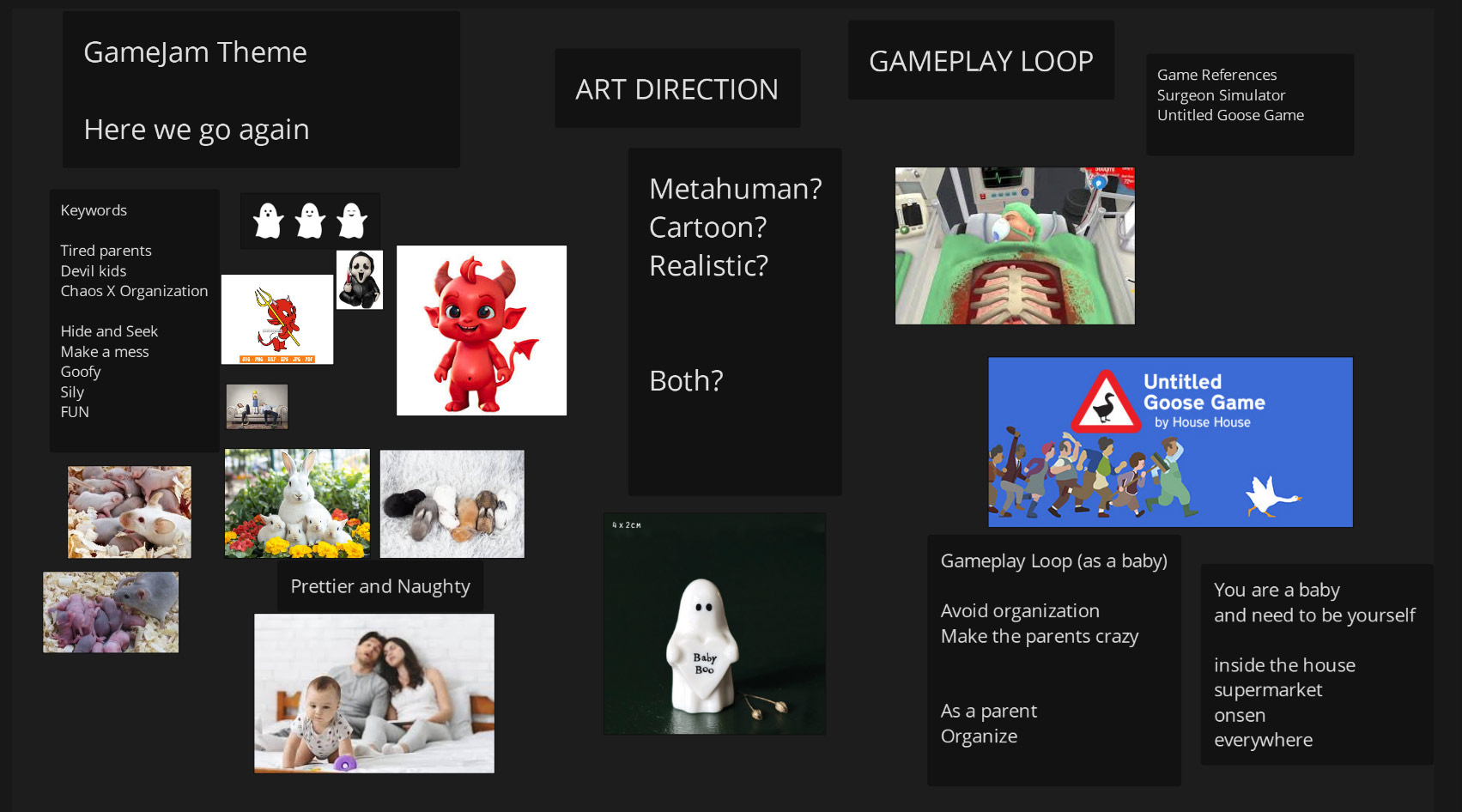
The MegaJam is near the Halloween, so maybe work with a ghost family?
If you lost your baby ghost, he/she become another ghost? a ghost 2.0?
Now I’m just throwing ideas like a brainstorm, ideas will change because of the scope too.
Day 2
After some research, I finally jumped into Unreal to make the characters. I started with the MetaHuman and tried to reduce the size of the character to become a baby.
I’m using Unreal 5.6.1 and the MetaHuman Creator is integrated in the engine — that’s awesome!
Since the beginning, my concern was the package file size; the MetaHuman adds a lot of files, textures, and blendshapes, and the packed game became 1.5GB on the first day! o.O
Because of the file size, I decided to reduce the use of textures and work with a minimum on the level.
It’s possible to reduce the character height beyond the MHC limits, but we need to change the source code, so I decided to stick with the size inside the MHC and scale up everything else.
Baby ?
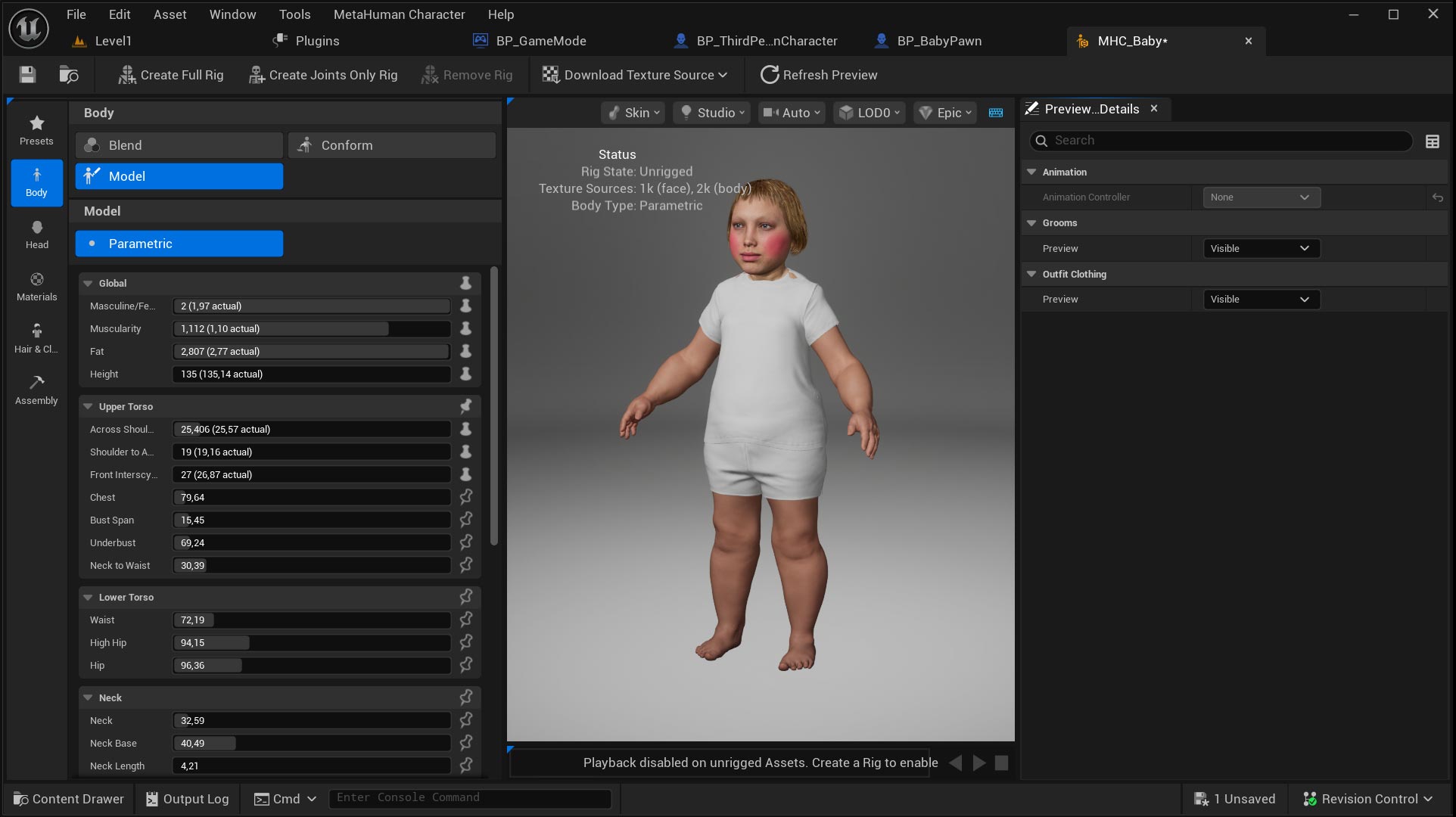
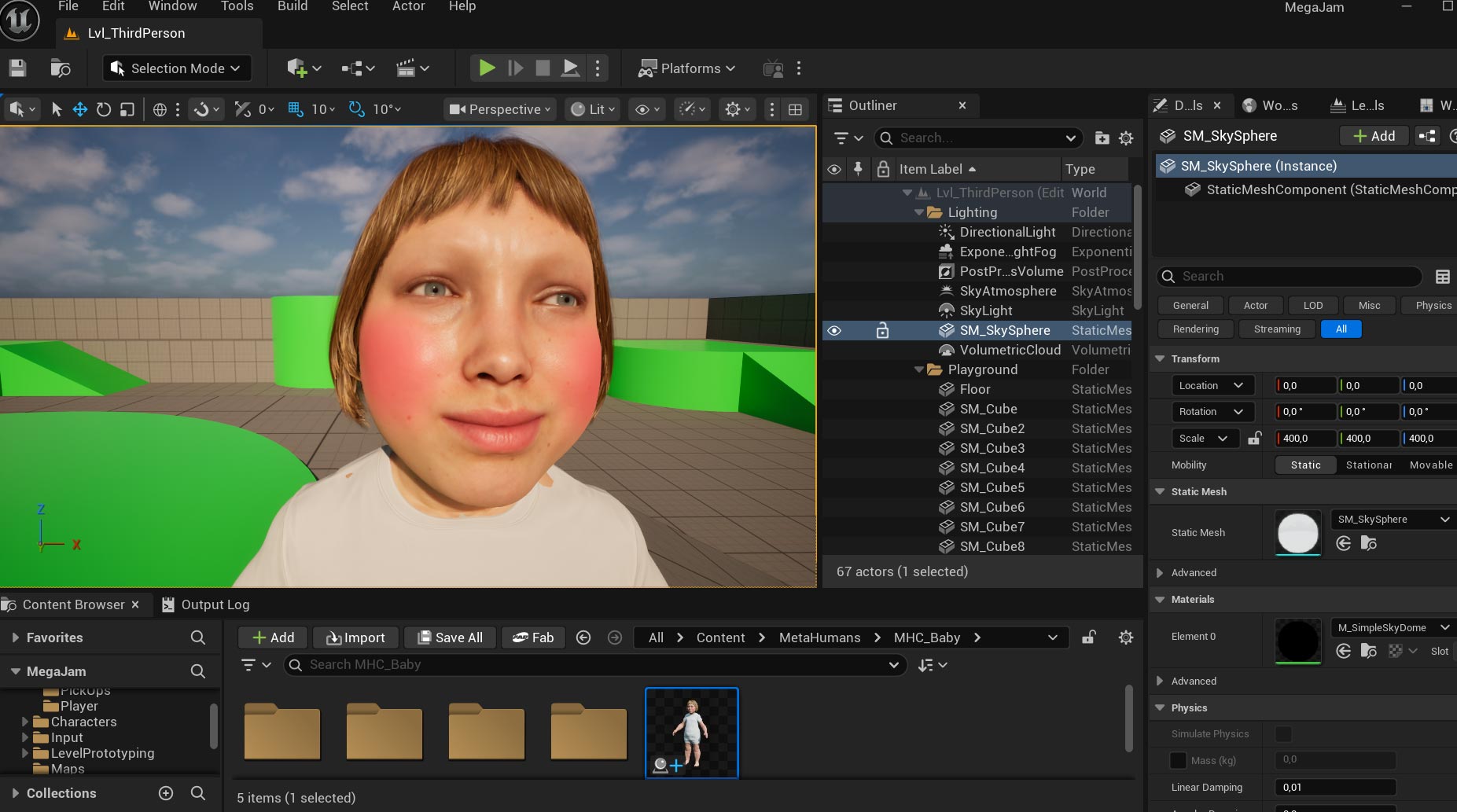
My wife looked at the “Baby” and said:
“Babies don’t have hairs”, LOL
I removed the hair, but the face texture was the Metahuman, so I needed to edit it.
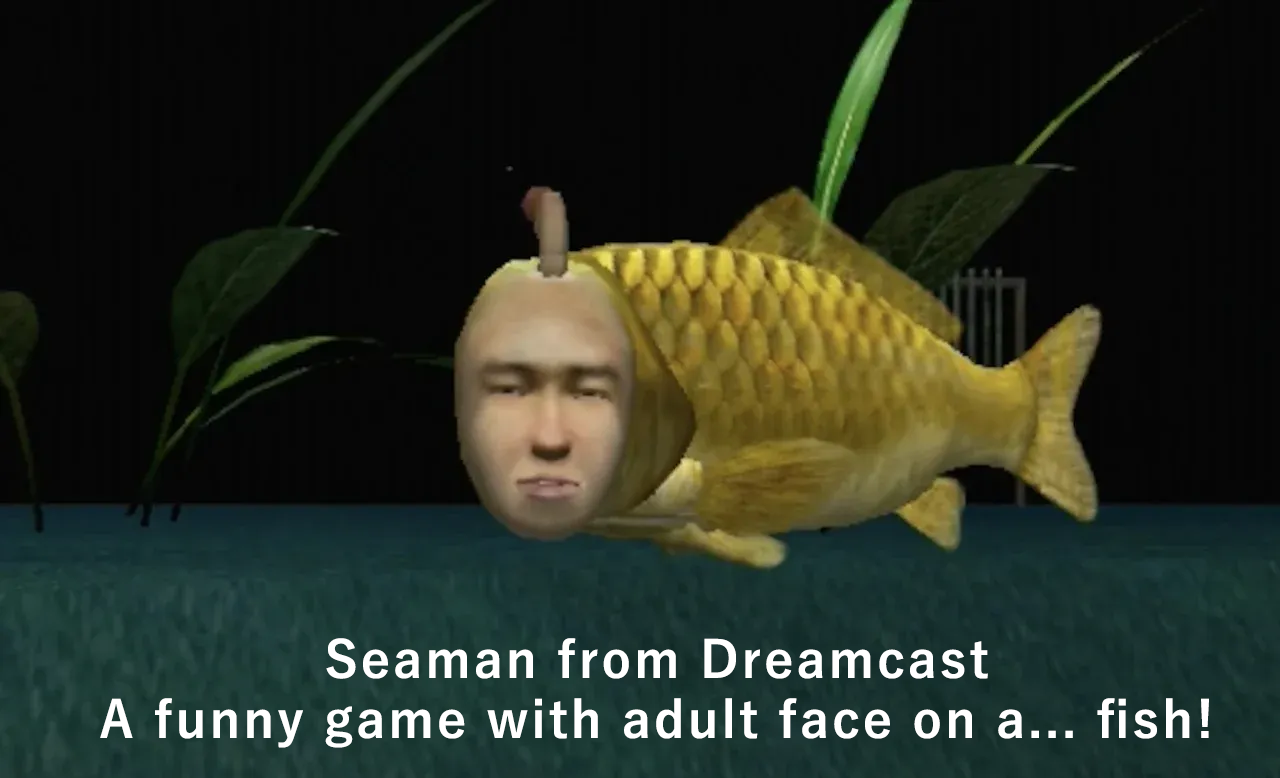
In the end, the baby was not like a baby, more like a Baby Man, like Seaman from Dreamcast.
Check the new MetaHuman Animator
The Webcam LiveLink was working very well, with the new Video to Metahuman function.
Some lightbulbs appeared!! 😀
What if we play and change the expressions in realtime using the webcam?
An expression that change some variable like speed, strength…
I was very happy with the gameplay possibilities!
I still don’t know how to read the face expression values in realtime inside Blueprints, (maybe reading from the Control RIG slide values?).
If somebody can shed some light on this subject, I would appreciate it!
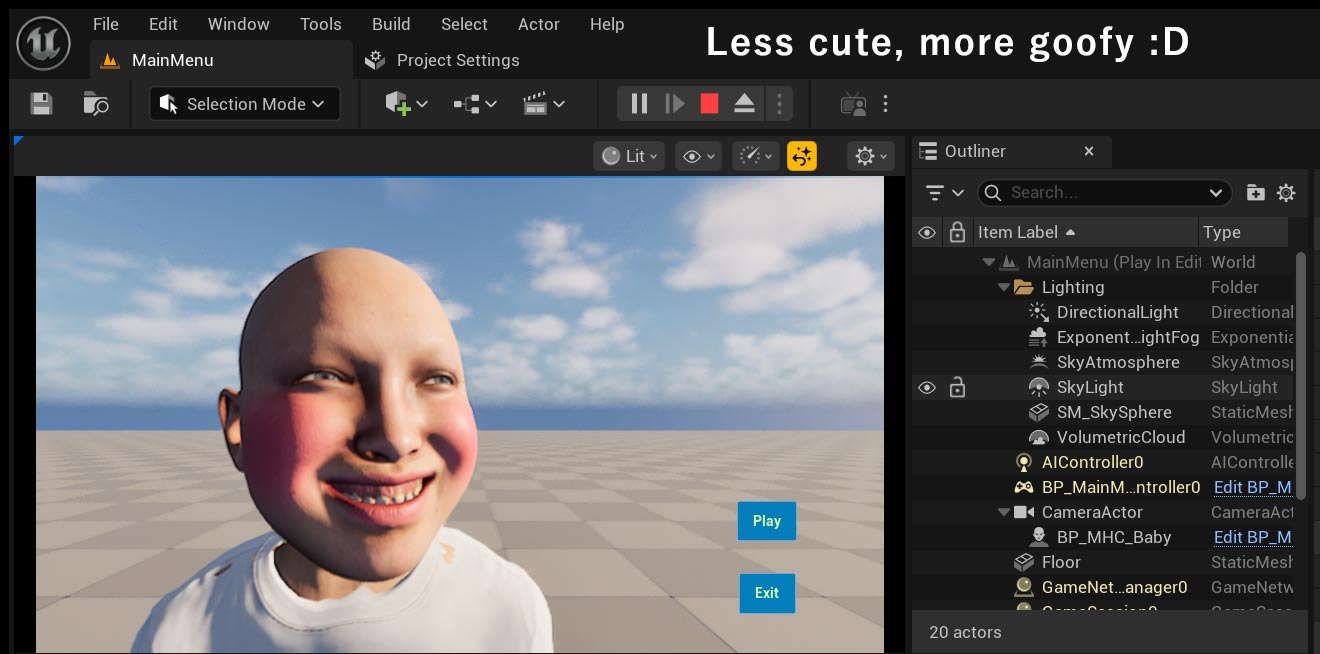
Testing the Menu with LiveLink is working.
The Discord folks, from Unreal Source channel, wanted to play the Creepy Baby Man, LOL
Day 3
Let’s CRY!
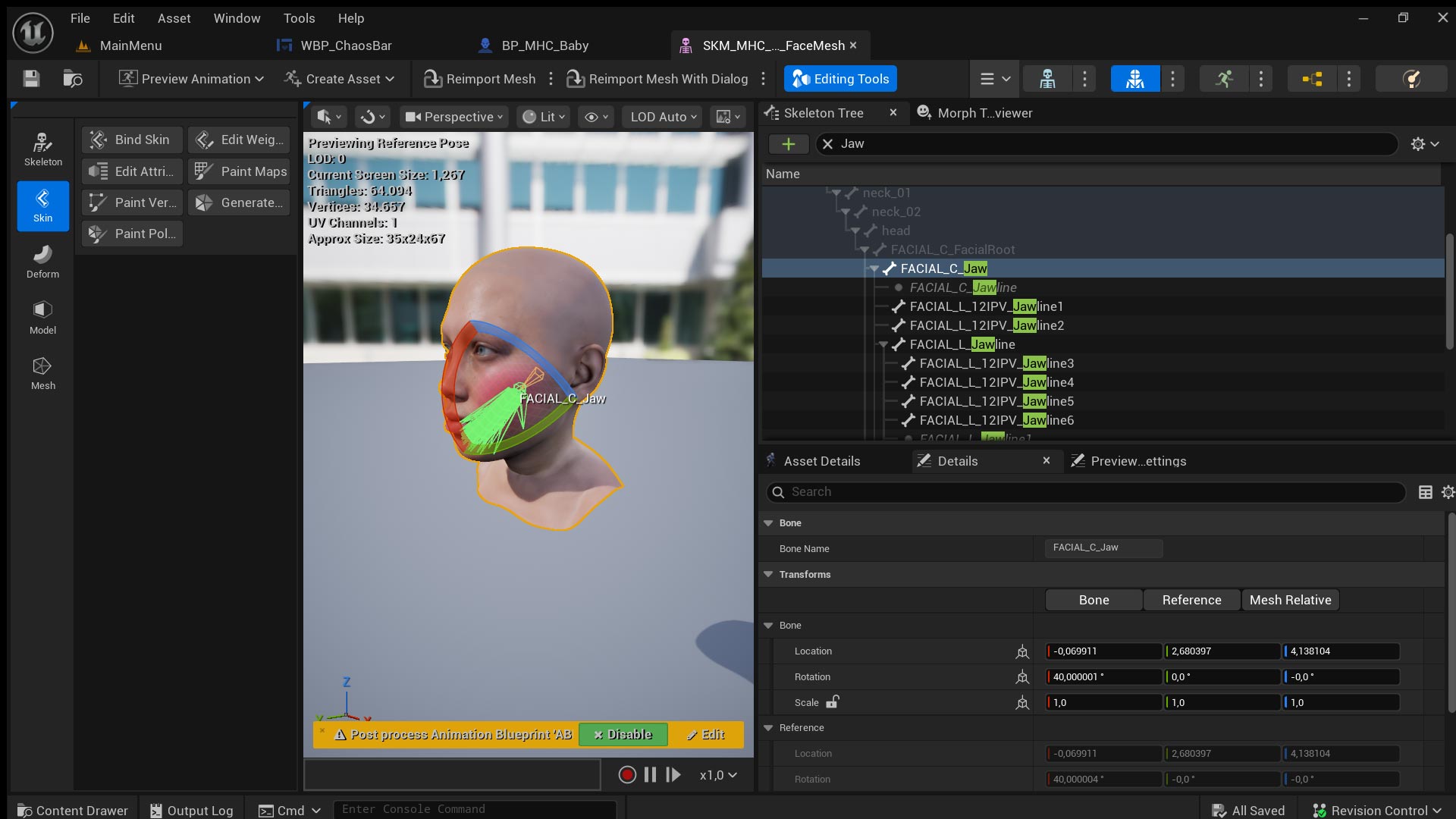
For a CRY functionality, if the local Rotation X from the bone FACIAL_C_Jaw is above 50 degrees, set the Variable Crying to true. Because we check the bone angle every frame, we can invert the value of the variable anytime.
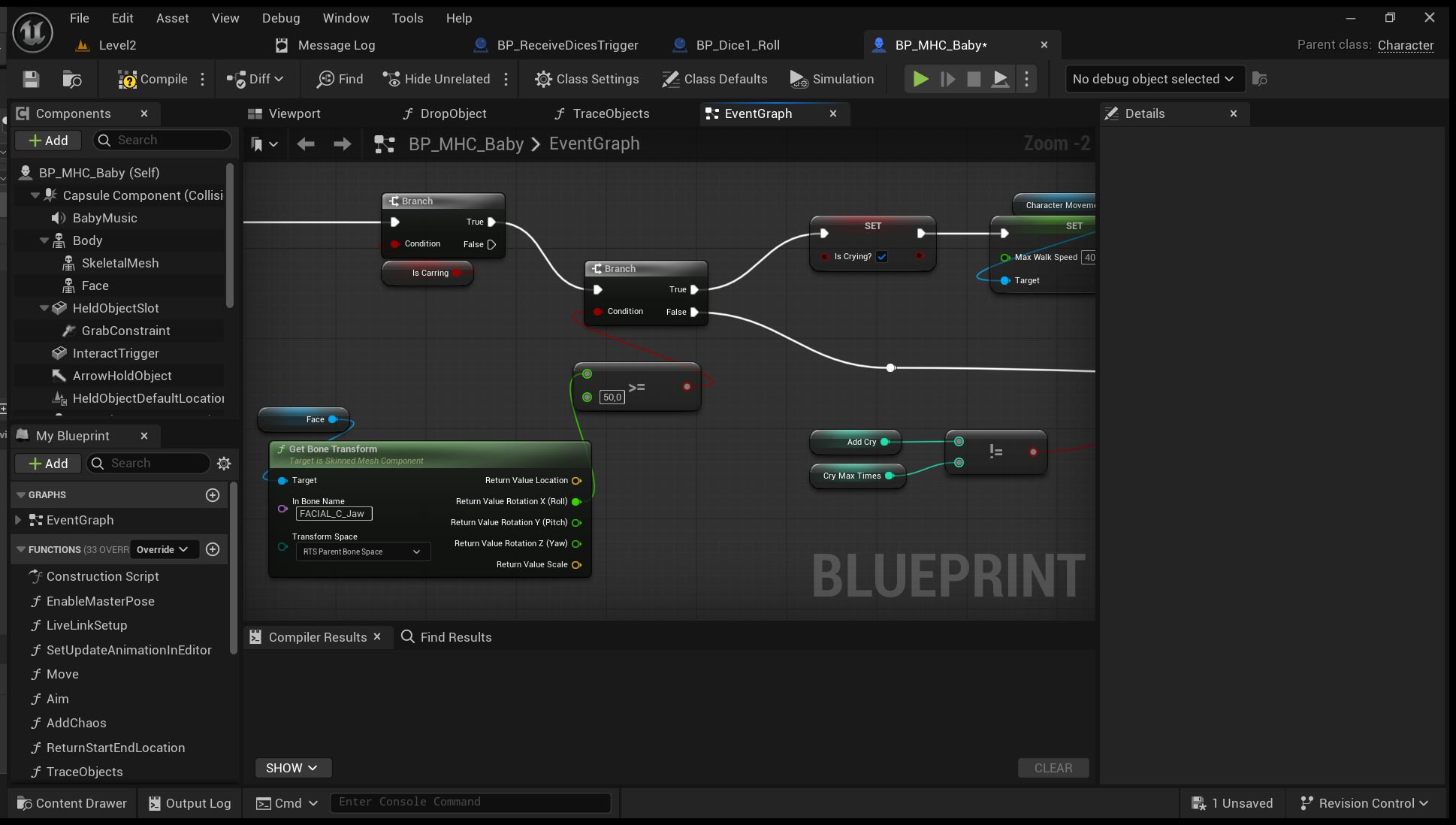
As I said before, I’m still searching for another way to know the values from Morph Target expressions.
Instead of bone angles, maybe reading from Control RIG slides is the best solution.
Below, the first test reading a bone angle from the face during Tick.
Jaw bone angle is read each frame, and above 50 degrees triggers a CRY text.
I remember when I was a kid and for the first time I saw the main menu from Super Mario 64, I spent a lot of time making ugly faces. Poor Mario! 😀
Below, LiveLink test in a packed game with a placeholder sound!
On day 3, the deadline was extended because of server problems that affected UEFN.
I was happy, more time to develop functions!
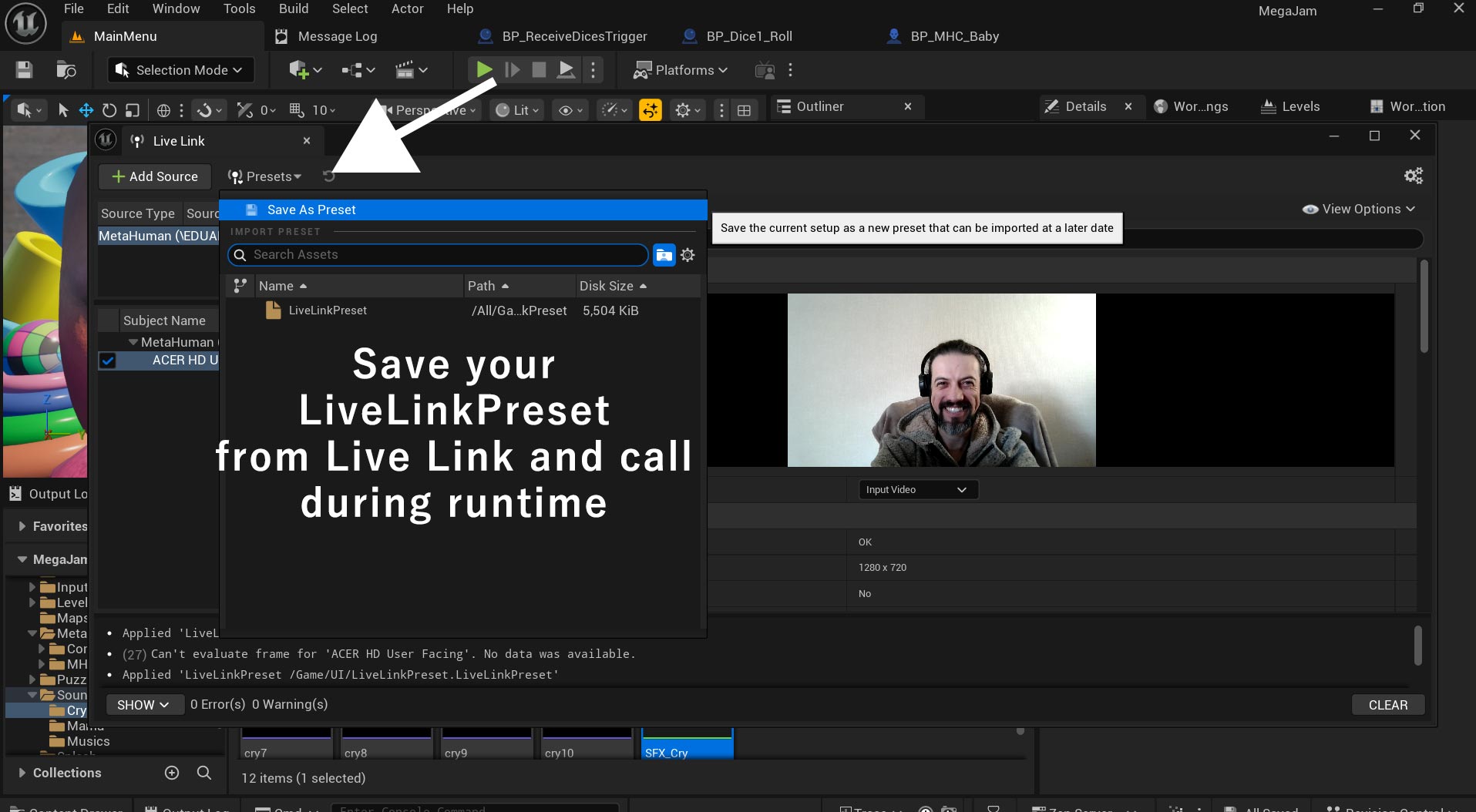
Since the first day I was testing packing, and for Live Link to run outside the editor, to do this, you need to use a Apply to Client function and call a LiveLink Preset inside Begin Play.

Create a LiveLinkPreset:
1) Go to Window > Virtual Production > LiveLink
2) Configure your MetaHuman Video from Webcam (Subject Name)
3) Save your Preset
I don’t have two computers, so I can’t test the webcam function outside my computer.
But I changed the name of the webcam inside Windows Driver Variables, worked well.
My concern was that LiveLink Presets are hardcoded inside variables and can’t read other webcam names.
Day 4
I’m thankful to Lusiogenic channel, his tutorial taught me about the grabbing function using Physics objects.
I used the Physics Constraint Component.
I’m still struggling with collisions on walls, but the tutorial is an awesome starting point.
Only facial expressions don’t make a funny game, so the idea of creating Chaos inside the house to bother your mom continues.
I thought that facial expressions are cool, but can’t hold a game, specially because I don’t know how to read other expressions like blink, kiss, smile…
So, the CRY ability changes your speed.
And you have the GRAB ability, to throw objects around, make a mess and don’t let your parents sleep. Naught baby!
Both abilities increase your Chaos bar.
I’m also thankful to Pitchfork Academy, his tutorial taught me how to replace the Mannequin with the MetaHuman. After the tutorial I was still struggling with head LODs pop-up
Because my time is tight, I will not make the mom or father, instead, I choose to use Quinn. The concept also changes:
You are a baby that needs to scape from your AI Nanny.
In the future, your parents bought an AI robot to take care of you, but you become the AI experiment. Like the game Portal. You versus Glados.
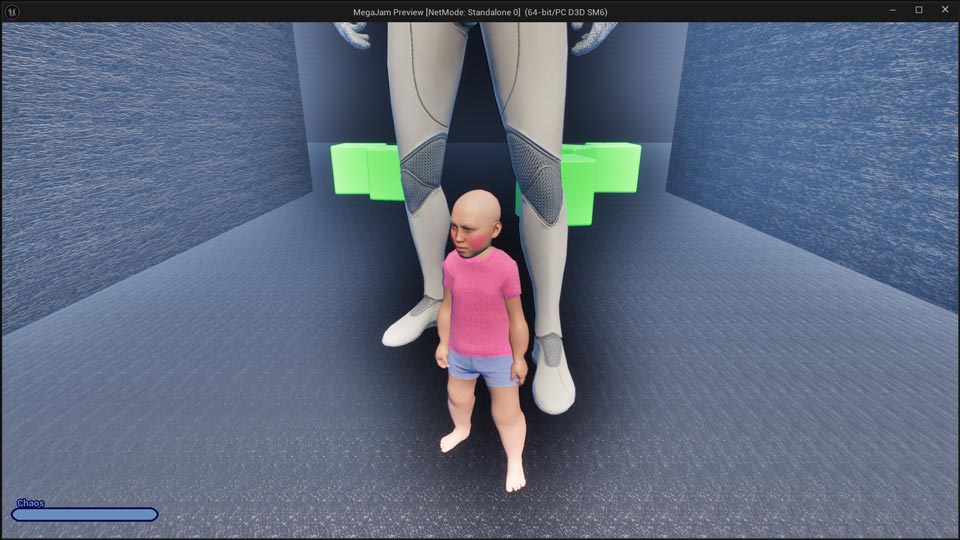
Also, if the antagonist is a robot, we don’t need to worry about moral implications… yet!
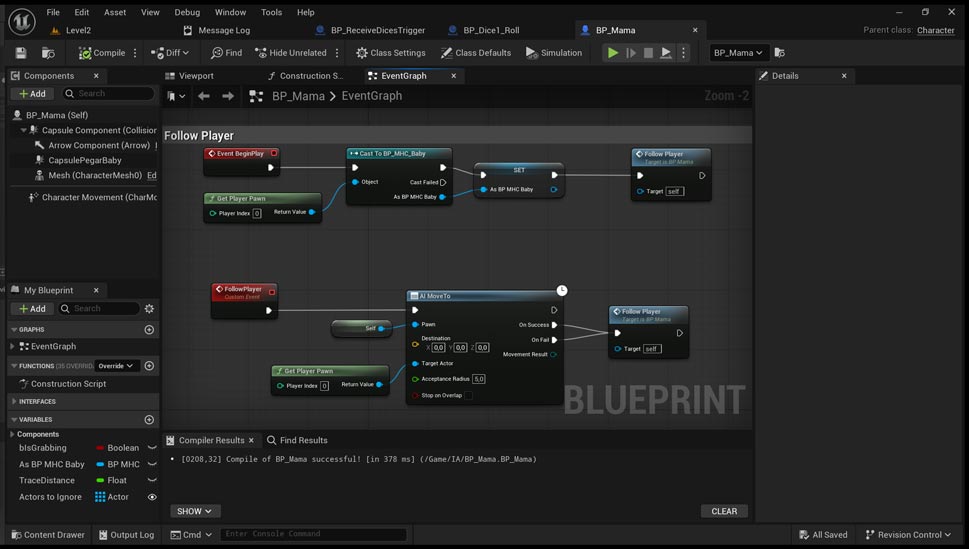
Below is the AI for Robot Mama, just a always follow function.
AI Move To > Player position
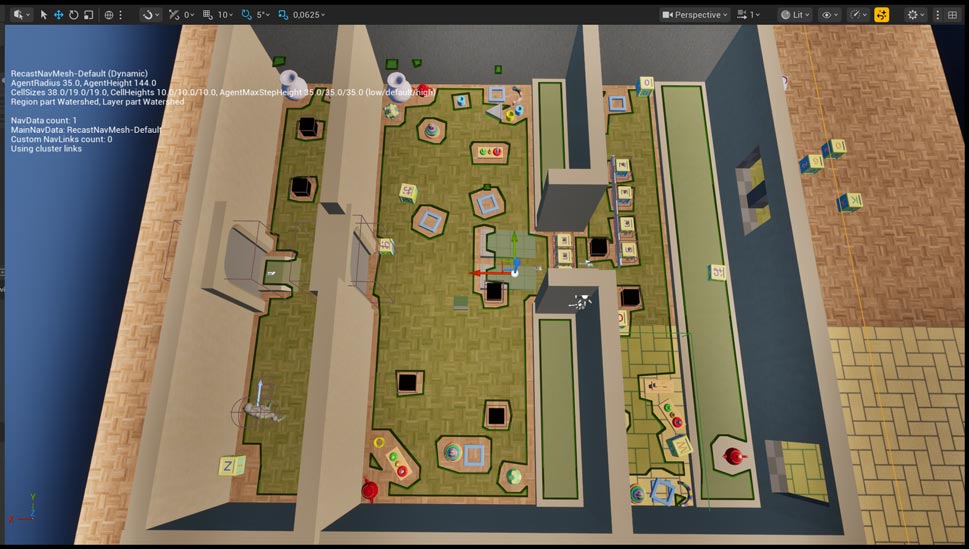
The NavMesh is dynamic and updates every 0.5 seconds.
So, if the players are fast, they can block Robot Mama with cubes.
Day 5
First Gameplay test!
Two days to go and we have the first gameplay test from start to finish.
Without 3d assets or music.
Day 6
Last day, I reserved for Sound and 3D assets creation.
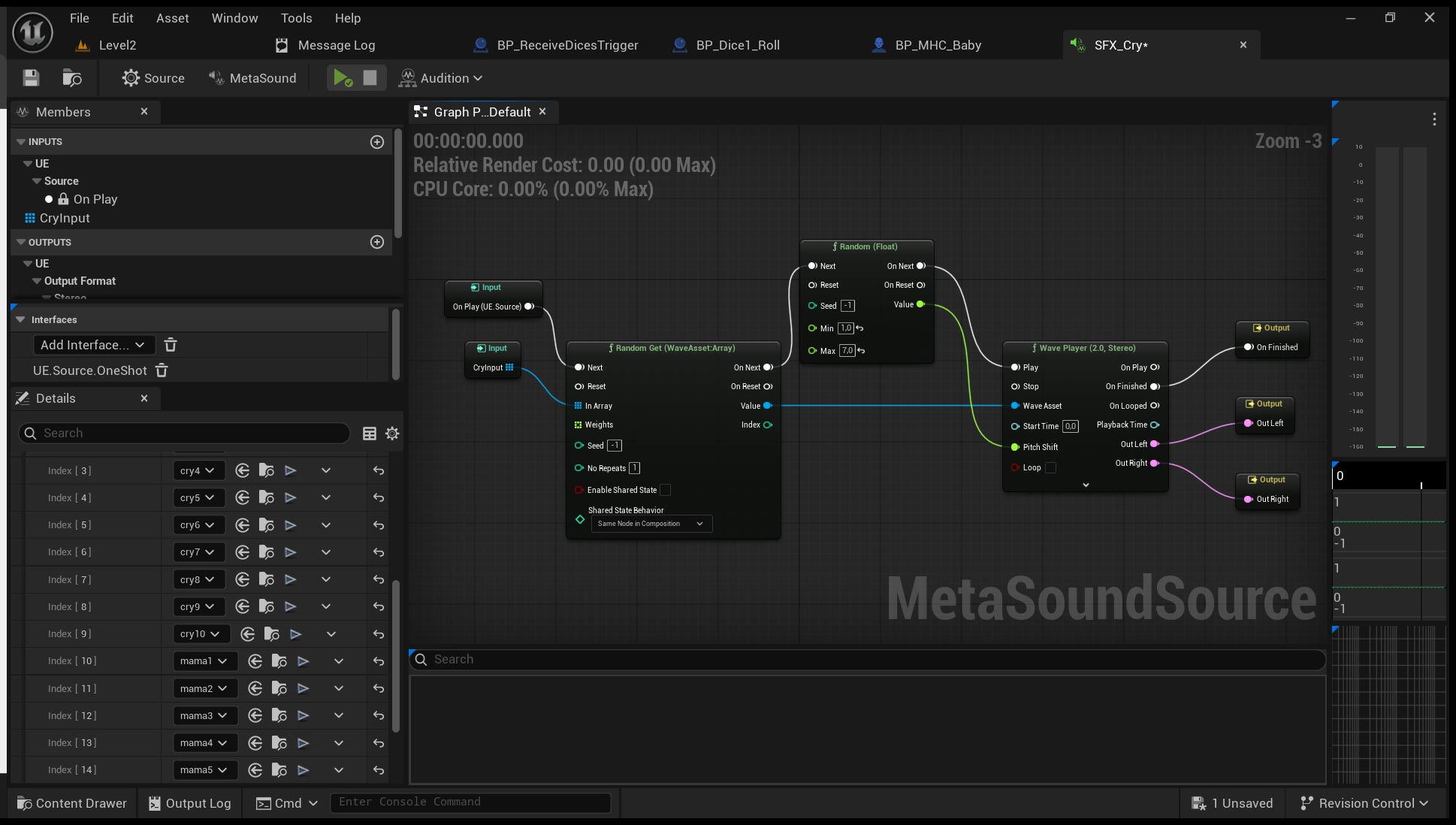
For sounds, I recorded variations of CRY and MAMA with my voice, and adjusted the pitch inside MetaSound.
The MetaSound turned to an array of wave files.
There are two Random Nodes:
First, Random Get from array of sounds.
Second, Random (float) to feed the Pitch Shift
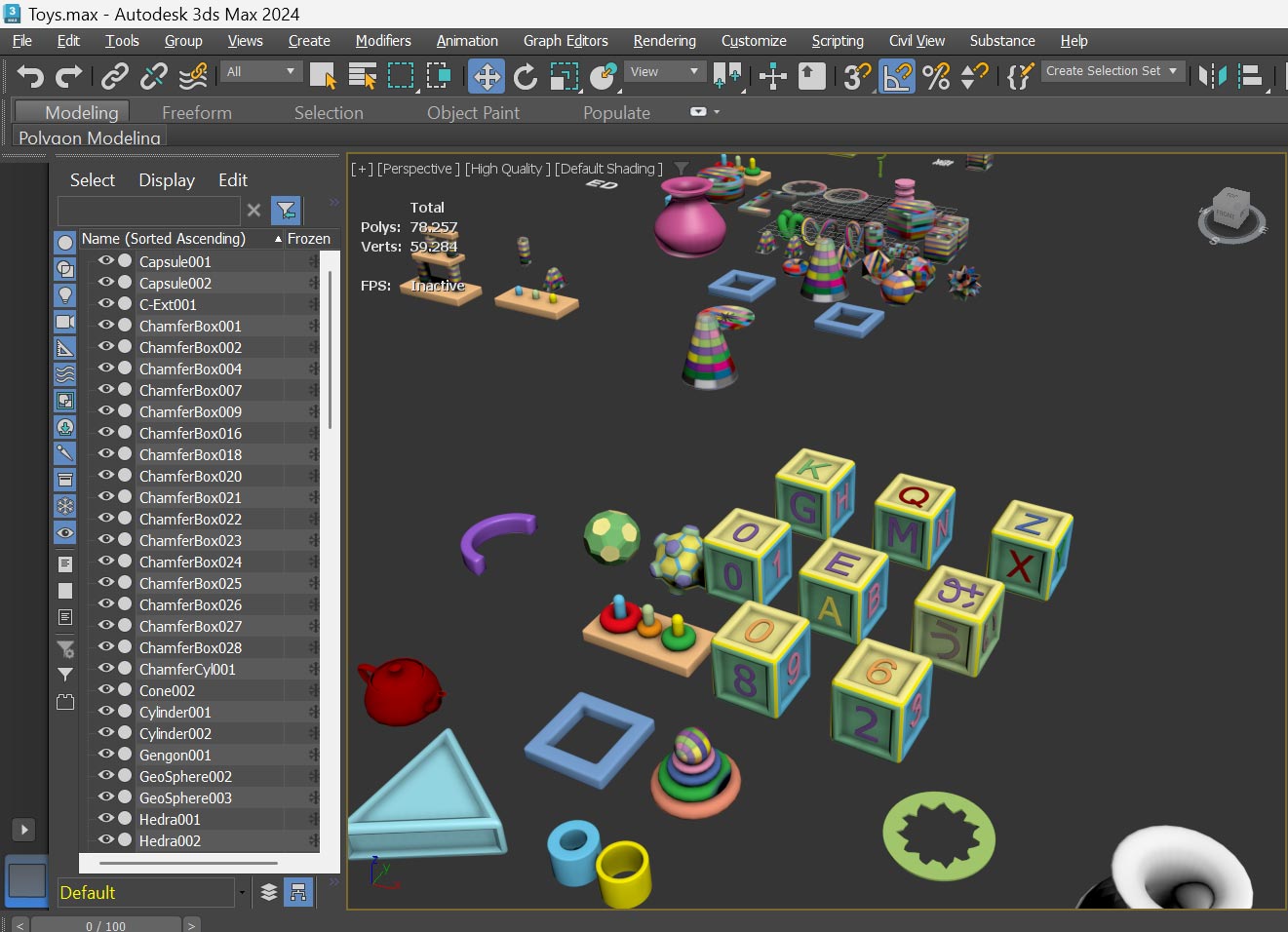
To make the props, I used the Poly modelling from 3ds Max.
I think the 3ds Max poly tools are one of the best in the market.
Also, I love two functions when we work with gizmos:
First, when you click on an axis, X, Y, Z or the combination, XY, XZ, YZ, the software “locks” the selection for the next object. That means we can click anywhere on the object to move around, instead of selecting the axis on the gizmo.
Second, if you are moving objects or sliders, the right mouse click works like a Ctrl + Z, on the viewport and parameters, simple and effective!
I dream that Unreal implements this functions to speed up prop placement.
For the props, I started from the texture and used only one material with a grid texture, to reduce draw calls. Inside Photoshop:
1) Create a 256×256 file
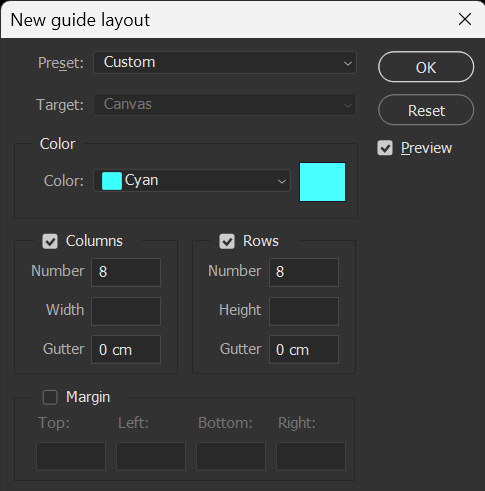
2) Create a guide and divide how many collumns and rows you want, power of 2.
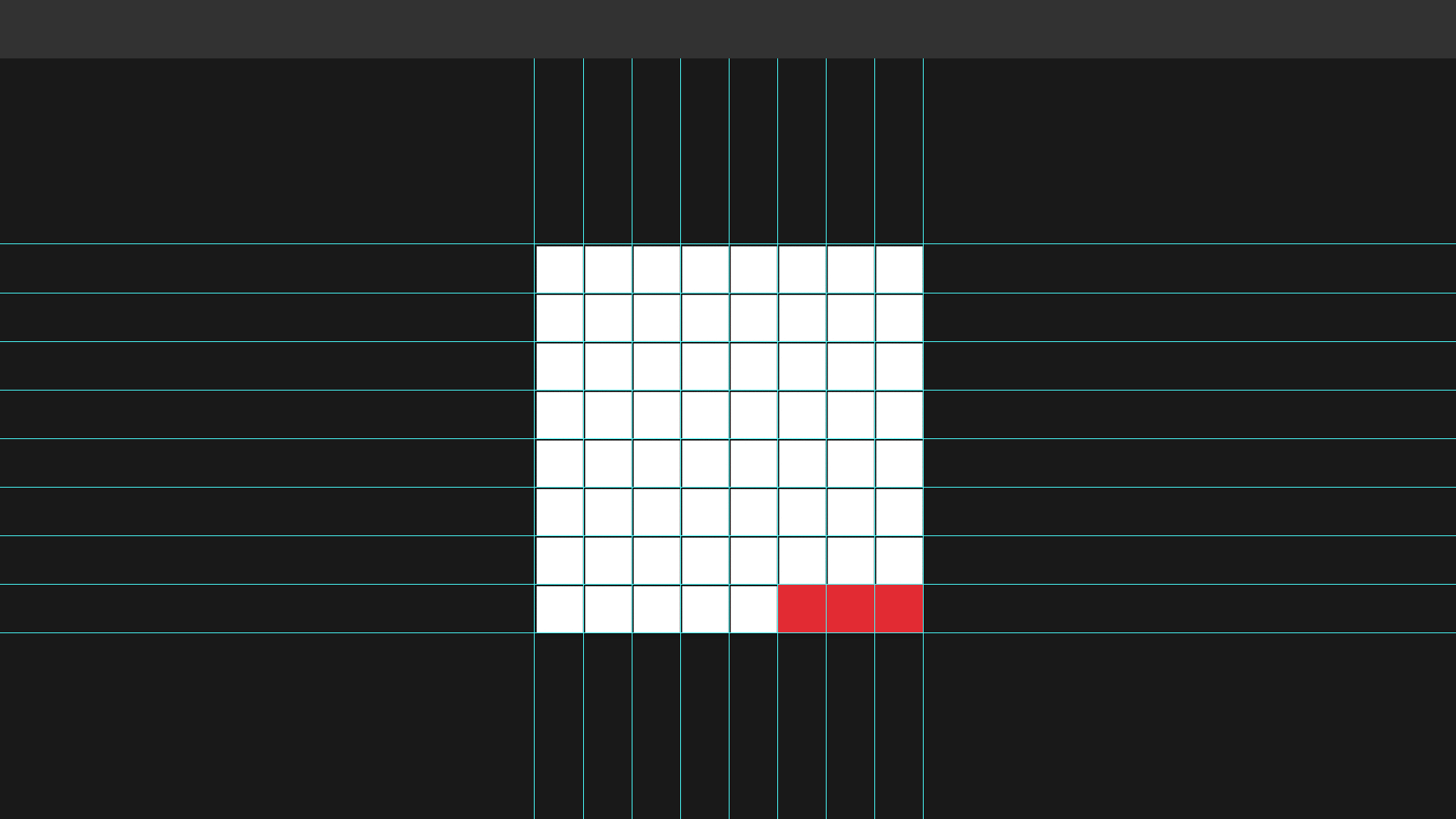
3) Start to paint your color palette
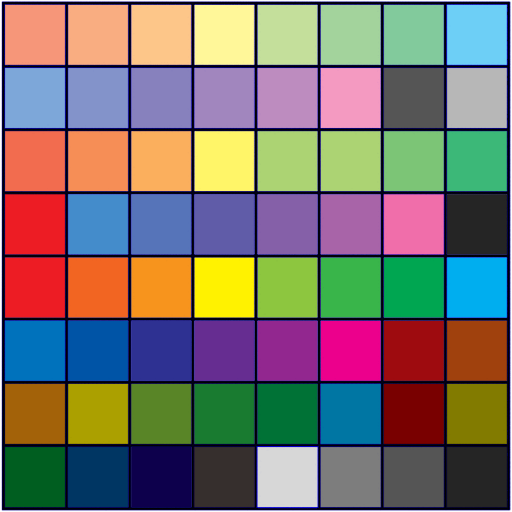
4) Your final albedo map, I focused more on pastel colors. Feel free to download the texture.
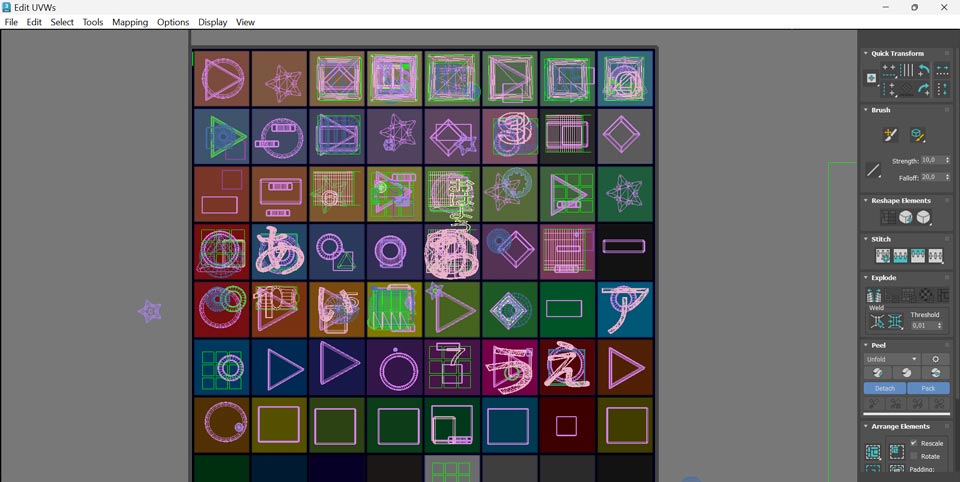
5) The last part (most time consuming) was the UV for each object.
6) Some 3D Toys
Day 7 – Final
Bugs and more bugs!
I had a bug with the head, everytime the camera changed or the IK from the legs was on, the head went crazy. I solved partially before the deadline.
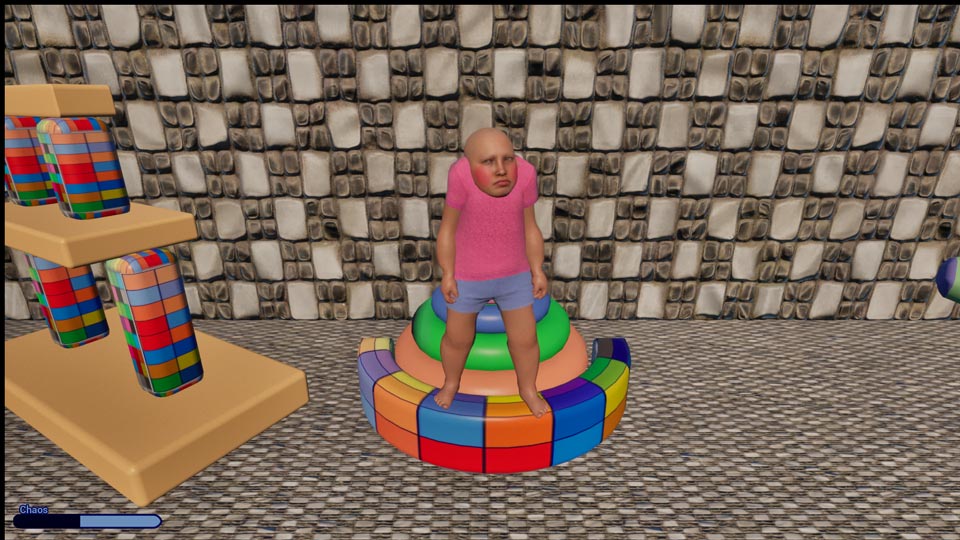
Another bug was with the box collision of the cubes, when I was holding them, sometimes they penetrate walls, changed the character position and camera behavior. This bug I didn’t fixed before the deadline.
Last Gameplay test! 😀
One day to go and I finnished the 3d assets, and gameplay test from start to finish.
The correct way to playtest with user is to not give any instructions.
Below, my wife was playing for the first time and saying 怖い!怖い!Kowai! Kowai! meaning Scared! Scared! 😀
At first, the Jam idea was to take care of a baby, and become an horror game, LOL!
It was my first time uploading to Itch.io a file above 1GB.
I used the Blendo itch uploader, worked on the first try (first you need to make your project inside Itch.io to upload from your computer).
It took only 13 minutes for 1.35GB, average of 100MB/min.
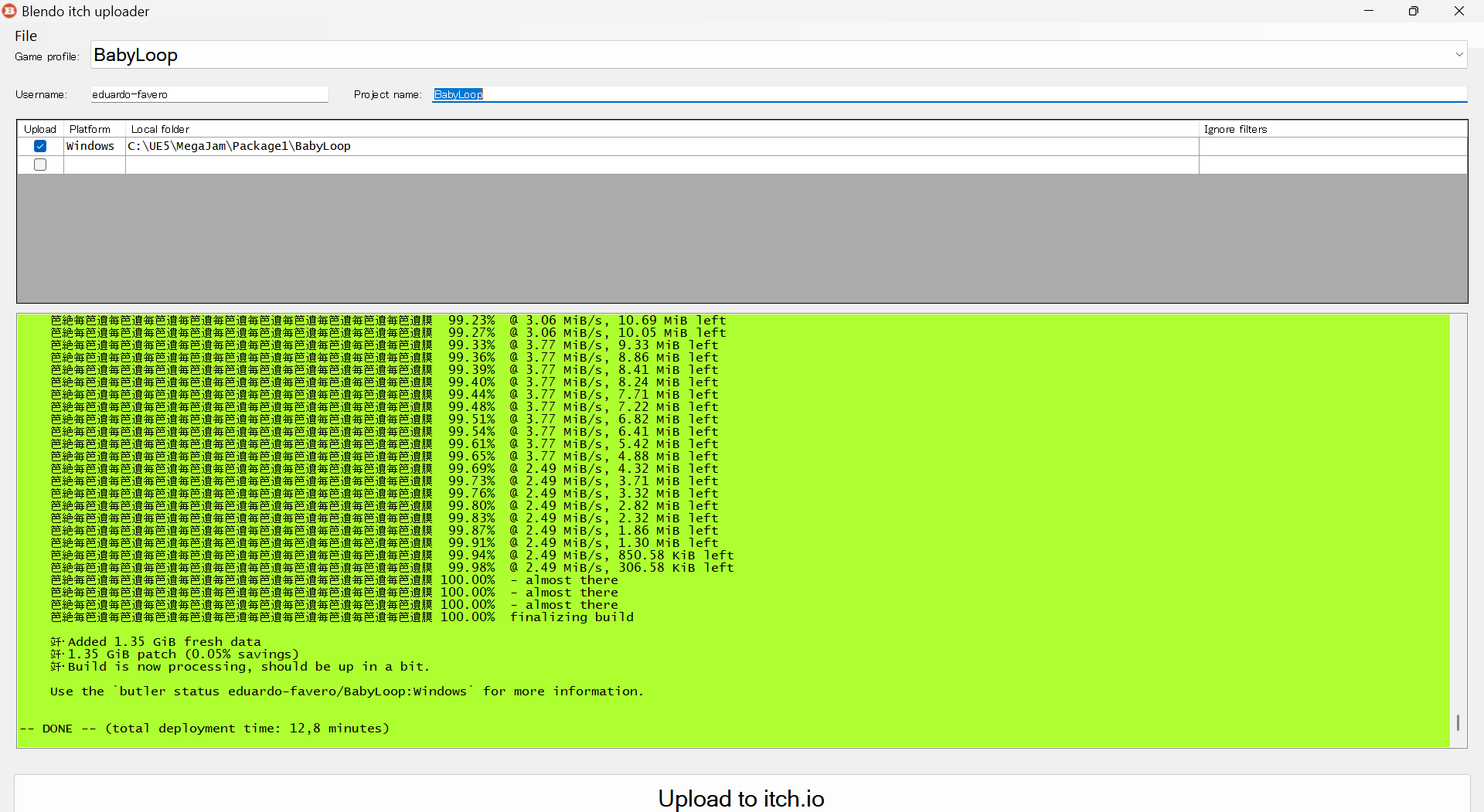
I finished the Jam with 1 hour left and went straight to bed… happy!
The END…
Post Mortem
Below is my analysis and impressions of the result of one week of Jamming.
Time spent on each task
Suppose we divide the 7 days and say that was 100% of the time spent making the project, I have made the following:
- Gameplay and bugs (Level flow, Robot Mama, AI, UMG)30%
- Character Development (Live Link, Blueprint, Control RIG)20%
- Time outside Unreal (itch.io page, creation of video, watching tutorials and this blog)20%
- 3D Asset creation (modeling of toys, props, uv)15%
- Level Design (Props placement, camera, triggers, navmesh)10%
- Audio creation (cry and mama sounds)5%
Before the Jam started I’ve made a commitment of
“2: Work on every element every day (from begin to end work on concept, Blueprints and Art), in other words, do’nt leave sound for the last day.”
My conclusion about time management and scope is:
It’s very hard to define or organize an equal timeframe for each task.
All tasks are important, some (like 3d asset creation) works on the first try for me, others (like blueprint, LiveLink and new functionalities), I spent a long time fixing it. The time for 3D creation was short, that reflects the final product.
The first attraction for buying or downloading a game is graphics, second if we can see some gameplay video. Audio also play a gigantic role.
My Trello plan was to work with 3D assets since day 1, but the game was no working until the last day. So I took the priority of gameplay over graphics.
I also mixed some 3D with black unlit textures to speed the Level Design, and Lumen made an awesome job with the mood.
Self analysis of the results
The following chart is based on the 6 judement criteria. But I really don’t know how much bias I have! LOL! 😀
- Use of the Theme100%
- Level Design60%
- Fun factor60%
- Gameplay50%
- Audio40%
- Visuals30%
What I learned?

Good: R&D
I invested the first 2 days searching about MetaHuman and how to implement LiveLink. I think it paid in the end.

Good: Packing everyday
Packing everynight before sleeping was the best choice. Two nights of bug fixing saved time in the future.

Bad: Few 3D
If I hadn’t spent much time on UV unwrapping or other tedious tasks, the graphics would have been prettier. Maybe if I had used pre-made props from Quixel too, the level would have been less empty.

Bad: Task Management
Which part is more important?
Knowing how to allocate time on each task is an art too.
Future
Now I’m working full-time to finish the Baby Loop project, until the birth of our beloved daughter Bubu chan.
Thinks to do:
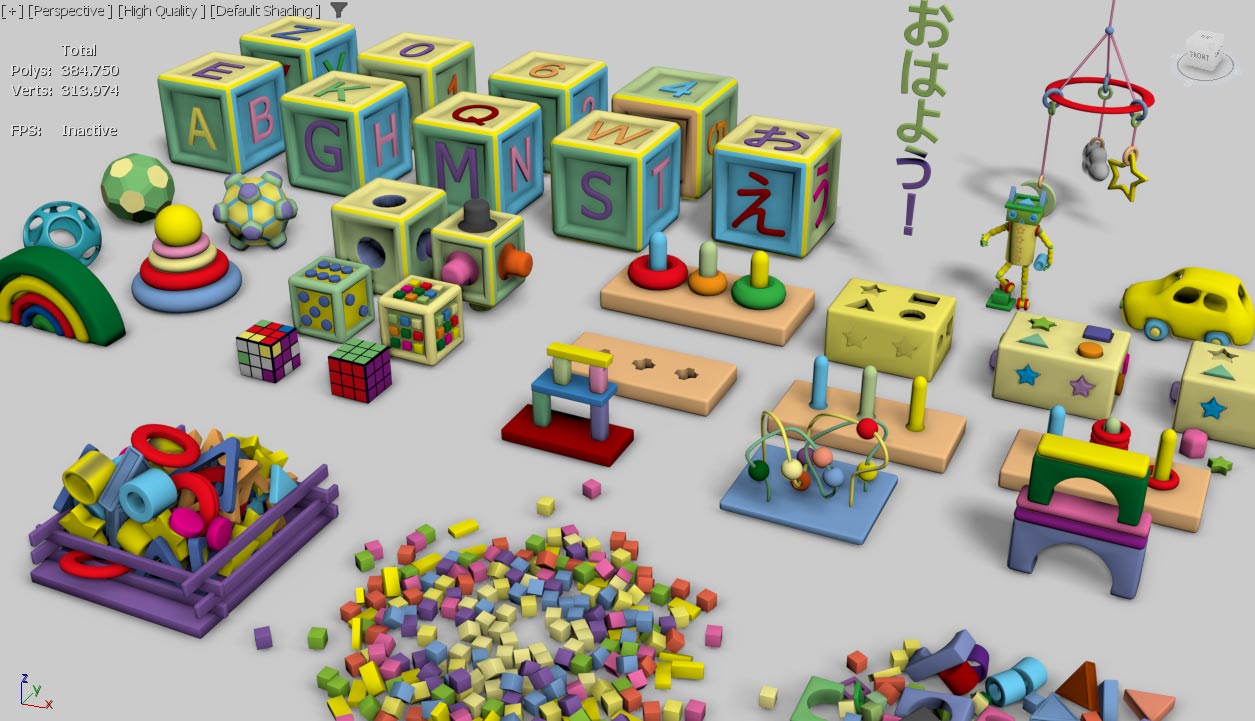
3D assets
Marketing
New mechanics
Most important: Fun game
New 3D props for the game.
The game will be released on february 18, 2026.
Release date
Day(s)
:
Hour(s)
:
Minute(s)
:
Second(s)
To receive updates about the project, fell free to write your name and e-mail below.
Your e-mail will be used exclusively for communication and will not be shared with another person.
If you want to help the development:
paypal.me/oimob
Thanks for reading!